SaleProduct on sale
Canva Pro — Unlock premium templates and AI tools for less
2,39 € – 19,99 €Price range: 2,39 € through 19,99 €
/
Rated 4.98 out of 5 based on 122 customer ratings
(122 customer reviews)
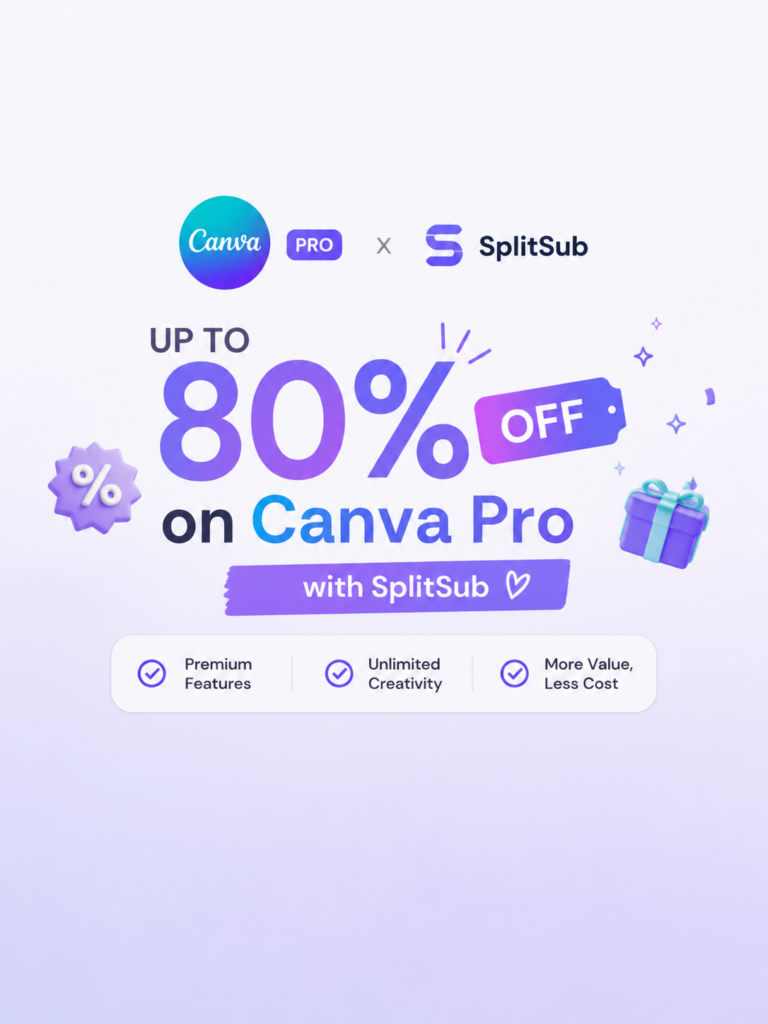
Unlock 100M+ assets, Brand Kit & Magic Studio AI on your own Canva account at 80% off. Fast delivery & warranty.

30 Days Return

100% Safe & Private

Full Term Warranty

Customer Support
Description
Reviews
Details &
features
✨ Magic Studio AI • 100M+ Premium Stock • Your Own Account
Design like a professional without high monthly fees with SplitSub. Upgrade your existing personal Canva profile to Canva Pro at up to 80% off retail pricing. Access 100+ million stock photos, premium templates, one-click Background Remover, Brand Kit, and cutting-edge Magic Studio AI tools!
What’s Included in Canva Pro
- 🎨
100M+ Premium Stock Library: Full unrestricted access to millions of premium photos, videos, audio tracks, fonts, and graphic elements. - 🪄
Magic Studio AI Suite: Instant Magic Eraser, Magic Expand, Magic Morph, AI text generator, and 1-click Background Remover. - 📐
Magic Switch & Resize: Transform any design into various social media dimensions (Instagram, TikTok, YouTube, banners) in one click. - 💾
1TB Cloud Storage & Brand Kits: Store high-resolution exports (SVG, transparent PNG, print-ready PDF) and organize your custom brand fonts and logos.
Why Upgrade Through SplitSub?
- Keep Your Own Account: Retain all your existing designs, folders, brand uploads, and project files untouched.
- 100% Safe (No Passwords): We never ask for your login password. You simply receive an official Canva Team invite link to your email.
- Full-Term Warranty: Guaranteed continuous working access across your entire 1 or 12-month period.
- Instant Automated Delivery: Receive your invite link and setup instructions via email within minutes.
How It Works (4 Easy Steps)
STEP 1
Select Duration
Choose 1 Month or 12 Months plan.
STEP 2
Checkout
Provide your email and complete secure checkout.
STEP 3
Receive Invite
Get the official Canva Team invitation link via email.
STEP 4
Start Designing
Accept the invite on your account and unlock all Pro tools!
Frequently Asked Questions
Will I keep my existing designs and project files?
Yes! The upgrade applies directly to your personal Canva profile. All previous projects, templates, and saved graphics remain 100% safe and intact.
Do I need to share my Canva password?
No. We operate via official Canva Team group invites. You only accept an invitation link while logged into your account.
Can other team members see my designs?
No. By default, all your designs and created templates are strictly private to your personal workspace unless you manually choose to share them.
Is the subscription covered by warranty?
Yes, 100%. All orders include our Full-Term Warranty. If any issue occurs with your team invite, 24/7 support will resolve or reissue it immediately.
122 reviews
-
MajaRated 5 out of 5Clean and quick transaction. Collaborating with team members on shared marketing designs runs smoothly. Highly recommend to any marketer freelancer or student.
-
InesRated 5 out of 5Full access to premium fonts and custom font upload without any limits. 10/10 service and great price.
-
LukasRated 5 out of 5No complications whatsoever with team join link. Animation effects and premium video transitions make social ads look top tier. Definitly renewing when this term ends.
-
ClaraRated 5 out of 5Magic Write AI copywriting and bulk create features speed up content creation. Best purchase on SplitSub so far.
-
DanielRated 5 out of 5Followed the short setup guide and was designing immediately. Premium templates for Instagram Reels presentations and marketing flyers unlocked. Saved so much money compared to official 110 euro annual plan.
-
LauraRated 5 out of 5Magic Eraser and Magic Expand AI photo editing features work flawlessly. Totally legit service.
-
AntoineRated 5 out of 5Delivered within 3 minutes of payment. Transparent PNG downloads and SVG vector export are crisp and professional. Thx for the awesome deal.
-
PiotrRated 5 out of 51TB cloud storage and unlimited folders keep all client assets organized. Zero bugs or glitches after weeks of usage. 👍
-
LucasRated 5 out of 5Really impressed with how fast setup was. Magic Resize allows reformatting posts for all social platforms in one click. Can not imagine creating social content without it now.
-
CamilleRated 5 out of 5Brand Kit with custom fonts color palettes and logos saves so much design time. Everything works as promised.
-
MartaRated 5 out of 5Upgraded my graphic design workflow seamlessly. Access to 100M+ premium stock photos videos audio tracks and graphic elements. Solid 5 stars all the way.
-
KasperRated 5 out of 5Magic Studio AI tools and one-click Background Remover work like magic. Much cheaper than direct monthly sub.
-
MateoRated 5 out of 5Super fast delivery to my Canva account. High-res print-ready PDF export with crop marks and bleed works perfectly. Support was very friendly when I asked a quick question.
-
ArthurRated 5 out of 5Content Planner and direct social media scheduling work without issues. Works perfectly on both desktop browser and mobile app.
-
JanRated 5 out of 5Got the Canva Pro team invite instantly after checkout. Kept all my personal designs templates and previous uploads intact. Unbeatable value for money.
-
SvenRated 5 out of 5Collaborating with team members on shared marketing designs runs smoothly. Highly recommend to any marketer freelancer or student.
-
ElenaRated 5 out of 5Was skeptical at first due to low price but activated right away. Full access to premium fonts and custom font upload without any limits. 10/10 service and great price.
-
MajaRated 5 out of 5Animation effects and premium video transitions make social ads look top tier. Definitly renewing when this term ends.
-
InesRated 5 out of 5Team invite arrived in 2 mins. Magic Write AI copywriting and bulk create features speed up content creation. Best purchase on SplitSub so far.
-
LukasRated 5 out of 5Premium templates for Instagram Reels presentations and marketing flyers unlocked. Saved so much money compared to official 110 euro annual plan.
-
ClaraRated 5 out of 5Instructions provided in email were super easy. Magic Eraser and Magic Expand AI photo editing features work flawlessly. Totally legit service.
-
DanielRated 5 out of 5Transparent PNG downloads and SVG vector export are crisp and professional. Thx for the awesome deal.
-
LauraRated 5 out of 5Very smooth checkout process. 1TB cloud storage and unlimited folders keep all client assets organized. Zero bugs or glitches after weeks of usage.
-
AntoineRated 5 out of 5Magic Resize allows reformatting posts for all social platforms in one click. Can not imagine creating social content without it now.
-
PiotrRated 5 out of 5Invite link arrived right away in my inbox. Brand Kit with custom fonts color palettes and logos saves so much design time. Everything works as promised.
-
LucasRated 5 out of 5Access to 100M+ premium stock photos videos audio tracks and graphic elements. Solid 5 stars all the way.
-
MartaRated 5 out of 5Second time ordering from SplitSub and just as fast. Magic Studio AI tools and one-click Background Remover work like magic. Much cheaper than direct monthly sub.
-
CamilleRated 5 out of 5High-res print-ready PDF export with crop marks and bleed works perfectly. Support was very friendly when I asked a quick question.
-
ArthurRated 5 out of 5Took less than 2 minutes to unlock full Canva Pro. Content Planner and direct social media scheduling work without issues. Works perfectly on both desktop browser and mobile app.
-
MateoRated 5 out of 5Kept all my personal designs templates and previous uploads intact. Unbeatable value for money.
-
KasperRated 5 out of 5Clean and quick transaction. Collaborating with team members on shared marketing designs runs smoothly. Highly recommend to any marketer freelancer or student. 👍
-
ElenaRated 5 out of 5Full access to premium fonts and custom font upload without any limits. 10/10 service and great price.
-
SvenRated 5 out of 5No complications whatsoever with team join link. Animation effects and premium video transitions make social ads look top tier. Definitly renewing when this term ends.
-
JanRated 5 out of 5Magic Write AI copywriting and bulk create features speed up content creation. Best purchase on SplitSub so far.
-
ArthurRated 5 out of 5Followed the short setup guide and was designing immediately. Premium templates for Instagram Reels presentations and marketing flyers unlocked. Saved so much money compared to official 110 euro annual plan.
-
MajaRated 5 out of 5Magic Eraser and Magic Expand AI photo editing features work flawlessly. Totally legit service.
-
InesRated 5 out of 5Delivered within 3 minutes of payment. Transparent PNG downloads and SVG vector export are crisp and professional.
-
LukasRated 5 out of 51TB cloud storage and unlimited folders keep all client assets organized. Thx for the awesome deal.
-
ClaraRated 5 out of 5Really impressed with how fast setup was. Magic Resize allows reformatting posts for all social platforms in one click. Zero bugs or glitches after weeks of usage.
-
DanielRated 5 out of 5Brand Kit with custom fonts color palettes and logos saves so much design time. Can not imagine creating social content without it now.
-
LauraRated 5 out of 5Upgraded my graphic design workflow seamlessly. Access to 100M+ premium stock photos videos audio tracks and graphic elements. Everything works as promised.
-
AntoineRated 5 out of 5Magic Studio AI tools and one-click Background Remover work like magic. Solid 5 stars all the way.
-
PiotrRated 5 out of 5Super fast delivery to my Canva account. High-res print-ready PDF export with crop marks and bleed works perfectly. Much cheaper than direct monthly sub.
-
LucasRated 5 out of 5Content Planner and direct social media scheduling work without issues. Support was very friendly when I asked a quick question.
-
CamilleRated 5 out of 5Got the Canva Pro team invite instantly after checkout. Kept all my personal designs templates and previous uploads intact. Works perfectly on both desktop browser and mobile app.
-
MartaRated 5 out of 5Collaborating with team members on shared marketing designs runs smoothly. Unbeatable value for money.
-
KasperRated 5 out of 5Was skeptical at first due to low price but activated right away. Full access to premium fonts and custom font upload without any limits. Highly recommend to any marketer freelancer or student.
-
MateoRated 5 out of 5Animation effects and premium video transitions make social ads look top tier. 10/10 service and great price.
-
ArthurRated 5 out of 5Team invite arrived in 2 mins. Magic Write AI copywriting and bulk create features speed up content creation. Definitly renewing when this term ends.
-
JanRated 5 out of 5Premium templates for Instagram Reels presentations and marketing flyers unlocked. Best purchase on SplitSub so far.
-
SvenRated 5 out of 5Instructions provided in email were super easy. Magic Eraser and Magic Expand AI photo editing features work flawlessly. Saved so much money compared to official 110 euro annual plan.
-
ElenaRated 5 out of 5Transparent PNG downloads and SVG vector export are crisp and professional. Totally legit service.
-
MajaRated 5 out of 5Very smooth checkout process. 1TB cloud storage and unlimited folders keep all client assets organized.
-
InesRated 5 out of 5Magic Resize allows reformatting posts for all social platforms in one click. Thx for the awesome deal. 👍
-
LukasRated 5 out of 5Invite link arrived right away in my inbox. Brand Kit with custom fonts color palettes and logos saves so much design time. Zero bugs or glitches after weeks of usage.
-
ClaraRated 5 out of 5Access to 100M+ premium stock photos videos audio tracks and graphic elements. Can not imagine creating social content without it now.
-
DanielRated 5 out of 5Second time ordering from SplitSub and just as fast. Magic Studio AI tools and one-click Background Remover work like magic. Everything works as promised.
-
LauraRated 5 out of 5Took less than 2 minutes to unlock full Canva Pro. High-res print-ready PDF export with crop marks and bleed works perfectly. Solid 5 stars all the way.
-
AntoineRated 5 out of 5Content Planner and direct social media scheduling work without issues. Much cheaper than direct monthly sub.
-
PiotrRated 5 out of 5Kept all my personal designs templates and previous uploads intact. Support was very friendly when I asked a quick question.
-
LucasRated 5 out of 5Clean and quick transaction. Collaborating with team members on shared marketing designs runs smoothly. Works perfectly on both desktop browser and mobile app.
-
CamilleRated 5 out of 5Full access to premium fonts and custom font upload without any limits. Unbeatable value for money.
-
MartaRated 5 out of 5No complications whatsoever with team join link. Animation effects and premium video transitions make social ads look top tier. Highly recommend to any marketer freelancer or student.
-
KasperRated 5 out of 5Magic Write AI copywriting and bulk create features speed up content creation. 10/10 service and great price.
-
MateoRated 5 out of 5Followed the short setup guide and was designing immediately. Premium templates for Instagram Reels presentations and marketing flyers unlocked. Definitly renewing when this term ends.
-
ZoeRated 5 out of 5Magic Eraser and Magic Expand AI photo editing features work flawlessly. Best purchase on SplitSub so far.
-
ArthurRated 5 out of 5Transparent PNG downloads and SVG vector export are crisp and professional. Saved so much money compared to official 110 euro annual plan.
-
JanRated 5 out of 5Delivered within 3 minutes of payment. 1TB cloud storage and unlimited folders keep all client assets organized.
-
SvenRated 5 out of 5Magic Resize allows reformatting posts for all social platforms in one click. Totally legit service.
-
ElenaRated 5 out of 5Super fast delivery to my Canva account. Brand Kit with custom fonts color palettes and logos saves so much design time. Thx for the awesome deal.
-
MajaRated 5 out of 5Access to 100M+ premium stock photos videos audio tracks and graphic elements. Zero bugs or glitches after weeks of usage.
-
InesRated 5 out of 5Magic Studio AI tools and one-click Background Remover work like magic. Can not imagine creating social content without it now.
-
LukasRated 5 out of 5Upgraded my graphic design workflow seamlessly. High-res print-ready PDF export with crop marks and bleed works perfectly. Everything works as promised.
-
ClaraRated 5 out of 5Content Planner and direct social media scheduling work without issues. Solid 5 stars all the way.
-
DanielRated 5 out of 5Was skeptical at first due to low price but activated right away. Kept all my personal designs templates and previous uploads intact.
-
LauraRated 5 out of 5Collaborating with team members on shared marketing designs runs smoothly. Much cheaper than direct monthly sub.
-
AntoineRated 5 out of 5Team invite arrived in 2 mins. Full access to premium fonts and custom font upload without any limits. Support was very friendly when I asked a quick question. 👍
-
PiotrRated 5 out of 5Animation effects and premium video transitions make social ads look top tier. Works perfectly on both desktop browser and mobile app.
-
LucasRated 5 out of 5Instructions provided in email were super easy. Magic Write AI copywriting and bulk create features speed up content creation.
-
CamilleRated 5 out of 5Magic Eraser and Magic Expand AI photo editing features work flawlessly. Highly recommend to any marketer freelancer or student.
-
ArthurRated 5 out of 5Very smooth checkout process. Premium templates for Instagram Reels presentations and marketing flyers unlocked. 10/10 service and great price.
-
MartaRated 5 out of 5Transparent PNG downloads and SVG vector export are crisp and professional. Definitly renewing when this term ends.
-
JanRated 5 out of 5Second time ordering from SplitSub and just as fast. 1TB cloud storage and unlimited folders keep all client assets organized.
-
KasperRated 5 out of 5Brand Kit with custom fonts color palettes and logos saves so much design time. Best purchase on SplitSub so far.
-
MateoRated 5 out of 5Got the Canva Pro team invite instantly after checkout. Magic Resize allows reformatting posts for all social platforms in one click. Saved so much money compared to official 110 euro annual plan.
-
SvenRated 5 out of 5Access to 100M+ premium stock photos videos audio tracks and graphic elements. Totally legit service.
-
ElenaRated 5 out of 5Invite link arrived right away in my inbox. Magic Studio AI tools and one-click Background Remover work like magic. Thx for the awesome deal.
-
ArthurRated 5 out of 5High-res print-ready PDF export with crop marks and bleed works perfectly. Zero bugs or glitches after weeks of usage.
-
MajaRated 5 out of 5Clean and quick transaction. Content Planner and direct social media scheduling work without issues. Can not imagine creating social content without it now.
-
LukasRated 5 out of 5Kept all my personal designs templates and previous uploads intact. Everything works as promised.
-
ClaraRated 5 out of 5Delivered within 3 minutes of payment. Collaborating with team members on shared marketing designs runs smoothly.
-
DanielRated 5 out of 5Full access to premium fonts and custom font upload without any limits. Solid 5 stars all the way.
-
LauraRated 5 out of 5No complications whatsoever with team join link. Animation effects and premium video transitions make social ads look top tier. Unbeatable value for money.
-
PiotrRated 5 out of 5Magic Write AI copywriting and bulk create features speed up content creation. Much cheaper than direct monthly sub.
-
LucasRated 5 out of 5Took less than 2 minutes to unlock full Canva Pro. Premium templates for Instagram Reels presentations and marketing flyers unlocked. Works perfectly on both desktop browser and mobile app.
-
AntoineRated 5 out of 5Magic Eraser and Magic Expand AI photo editing features work flawlessly. 10/10 service and great price.
-
CamilleRated 5 out of 5Was skeptical at first due to low price but activated right away. Transparent PNG downloads and SVG vector export are crisp and professional.
-
ElenaRated 5 out of 51TB cloud storage and unlimited folders keep all client assets organized. Definitly renewing when this term ends.
-
SorenRated 5 out of 5Really impressed with how fast setup was. Magic Resize allows reformatting posts for all social platforms in one click. Saved so much money compared to official 110 euro annual plan.
-
MartaRated 5 out of 5Access to 100M+ premium stock photos videos audio tracks and graphic elements. Totally legit service. 👍
-
JanRated 5 out of 5Followed the short setup guide and was designing immediately. Brand Kit with custom fonts color palettes and logos saves so much design time. Highly recommend to any marketer freelancer or student.
-
KasperRated 5 out of 5Super fast delivery to my Canva account. Magic Studio AI tools and one-click Background Remover work like magic. Best purchase on SplitSub so far.
-
ZoeRated 4 out of 5activated in 5 mins
-
ArthurRated 5 out of 5Saved over 70% on annual sub. Unbeatable
-
MateoRated 5 out of 5Fast delivery and genuine subscription. Highly recommended
-
SvenRated 5 out of 5much cheaper than direct 12 euro sub
-
MajaRated 4 out of 5took 5 mins to get invite but joined fine
-
InesRated 5 out of 5A+++ service. fast and reliable
-
LucasRated 5 out of 5got my email in 3 mins. instant upgrade
-
PiotrRated 5 out of 5everything works fine without any trouble
-
ClaraRated 5 out of 5super easy setup and great price
-
DanielRated 5 out of 5works like a charm
-
KasperRated 5 out of 5Best price online hands down
-
MartaRated 5 out of 5received team invite instantly
-
AntoineRated 5 out of 5working great on web and mobile app
-
ElenaRated 5 out of 5cheap and legit will renew next year
-
JanRated 5 out of 5cheap fast and genuine canva pro access
-
Lukas R.Rated 5 out of 5worked smoothly no issues
-
ArthurRated 5 out of 5instant delivery!!
-
CamilleRated 5 out of 5activted right away on my main acount
-
Arthur L.Rated 5 out of 5works perfect thx
-
LauraRated 5 out of 5Team invite came in 2 mins totally legit

Maximize durability and maintain softness by hand washing our modal hijabs in warm water and light dish soap.
Never add your hijabs to the washing machine or mix with other items.
We are committed to using only the safest, most effective ingredients, and we never compromise on quality.
We are committed to using only the safest, most effective ingredients, and we never compromise on quality.
We are committed to using only the safest, most effective ingredients, and we never compromise on quality.

Maximize durability and maintain softness by hand washing our modal hijabs in warm water and light dish soap.
Never add your hijabs to the washing machine or mix with other items.
We are committed to using only the safest, most effective ingredients, and we never compromise on quality.
We are committed to using only the safest, most effective ingredients, and we never compromise on quality.
We are committed to using only the safest, most effective ingredients, and we never compromise on quality.
-
Autodesk All Apps — Pro CAD & 3D software for a fraction of the price
14,99 € – 119,99 €Price range: 14,99 € through 119,99 €|
5.0 (100) -
CapCut Pro (AI Video Editor & Cloud Storage
2,39 € – 19,99 €Price range: 2,39 € through 19,99 €|
3.5 (190) -
Duolingo Super / Max — Premium Language Pass
2,99 € – 34,99 €Price range: 2,99 € through 34,99 €|
4.9 (100) -
LinkedIn Premium (Career / Business • Upgrade to Own Account)
7,99 € – 69,99 €Price range: 7,99 € through 69,99 €|
4.5 (224) -
Lovable Pro — Premium AI web development features at a huge discount
3,99 € – 34,99 €Price range: 3,99 € through 34,99 €|
4.9 (162) -
Scribd Premium — Unlimited reading & listening for a fraction of the price
2,19 € – 19,99 €Price range: 2,19 € through 19,99 €|
5.0 (100)